Guide · For home cooks
Start your home kitchen on Bhojo
Cook what you love for the families around you. Neighbours pre-order, you cook exactly that, they collect from you. No commission.
- About a minute to set up
- 700+ dishes with photos
- Free during launch
Screens from the Bhojo app, shown with sample kitchens and neighbours.
- Step 1
Tap “Start your kitchen”
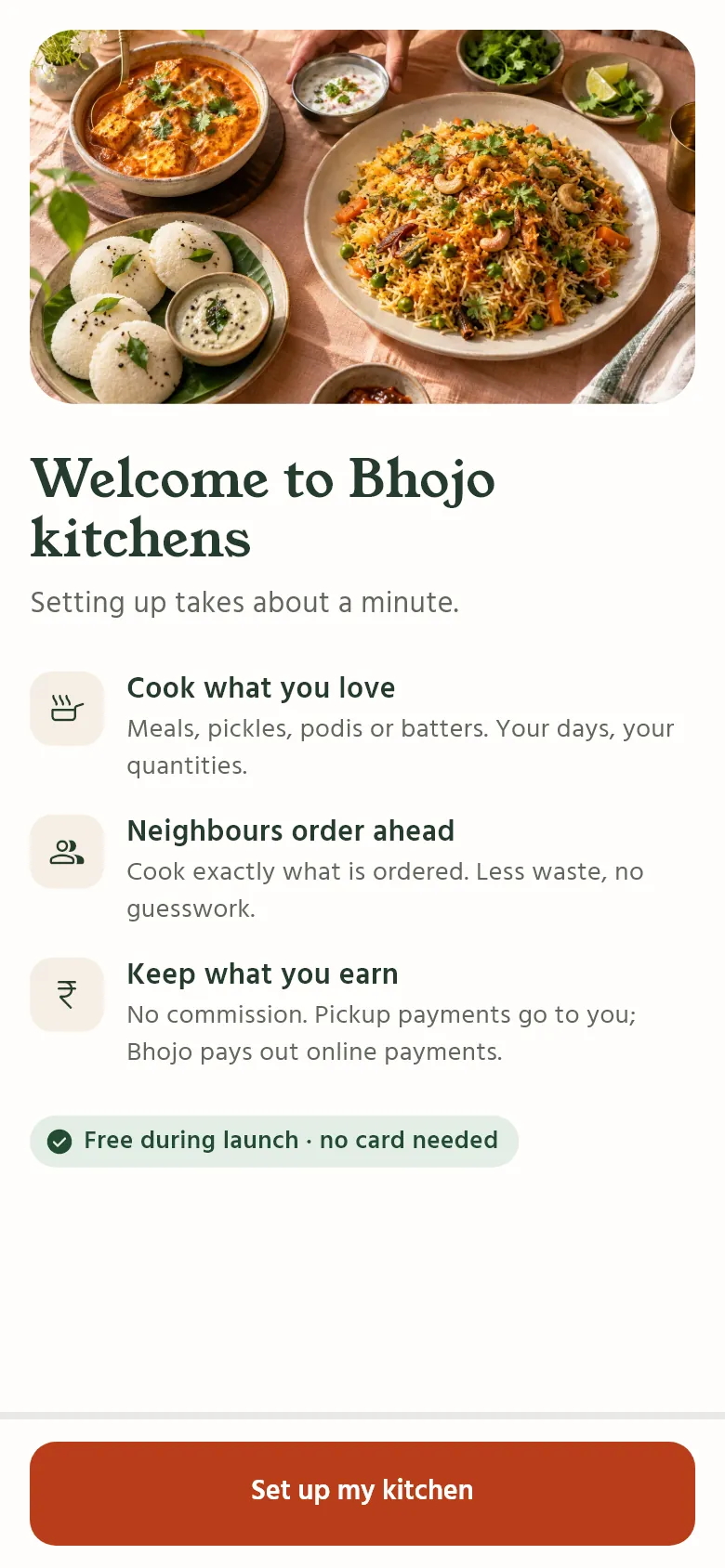
Sign in to Bhojo with the same account you order with, open You and tap Start your kitchen. Setting up takes about a minute.
Free during launch — no card needed, no commission on your sales.
- Step 2
Say what you make and where neighbours collect
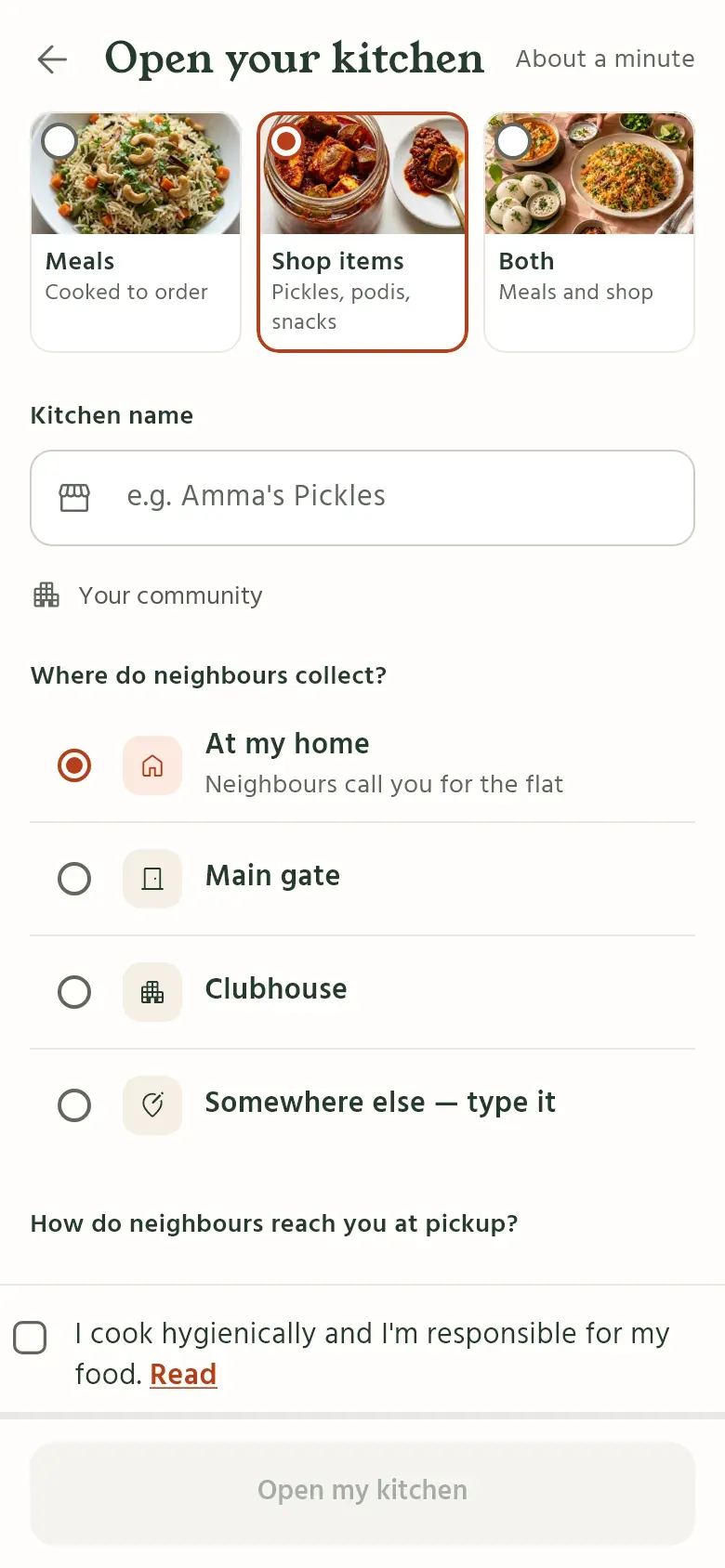
Choose Meals (cooked to order), Shop items (pickles, podis, snacks) or Both. Give your kitchen a name.
Pick where neighbours collect: at your home, the main gate, the clubhouse or a place you type.
- Step 3
Add a photo, your mobile and agree to cook safely
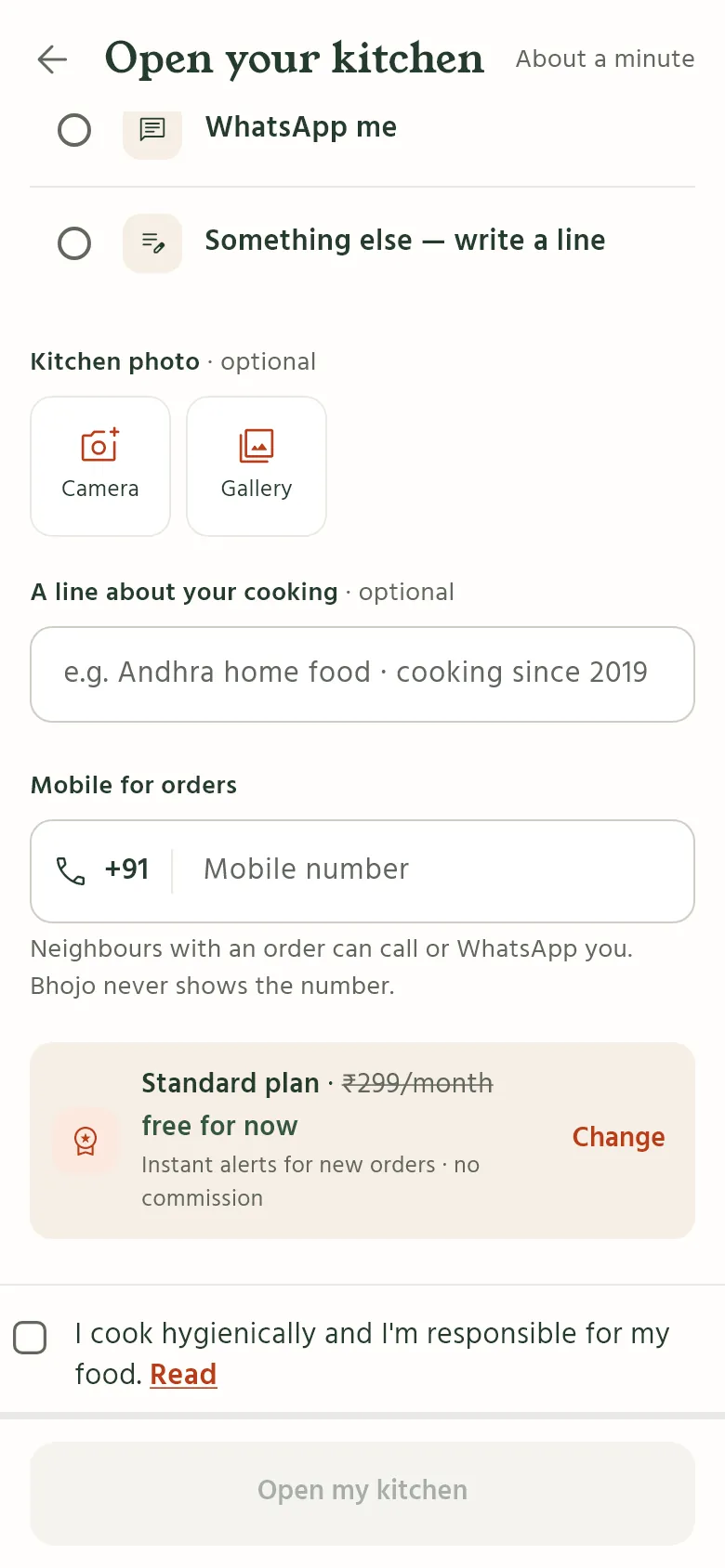
Add a kitchen photo and a line about your cooking — optional, but neighbours love it. Add the mobile number neighbours with an order can call.
Tick the pledge that you cook hygienically and are responsible for your food, then tap Open my kitchen.
- Step 4
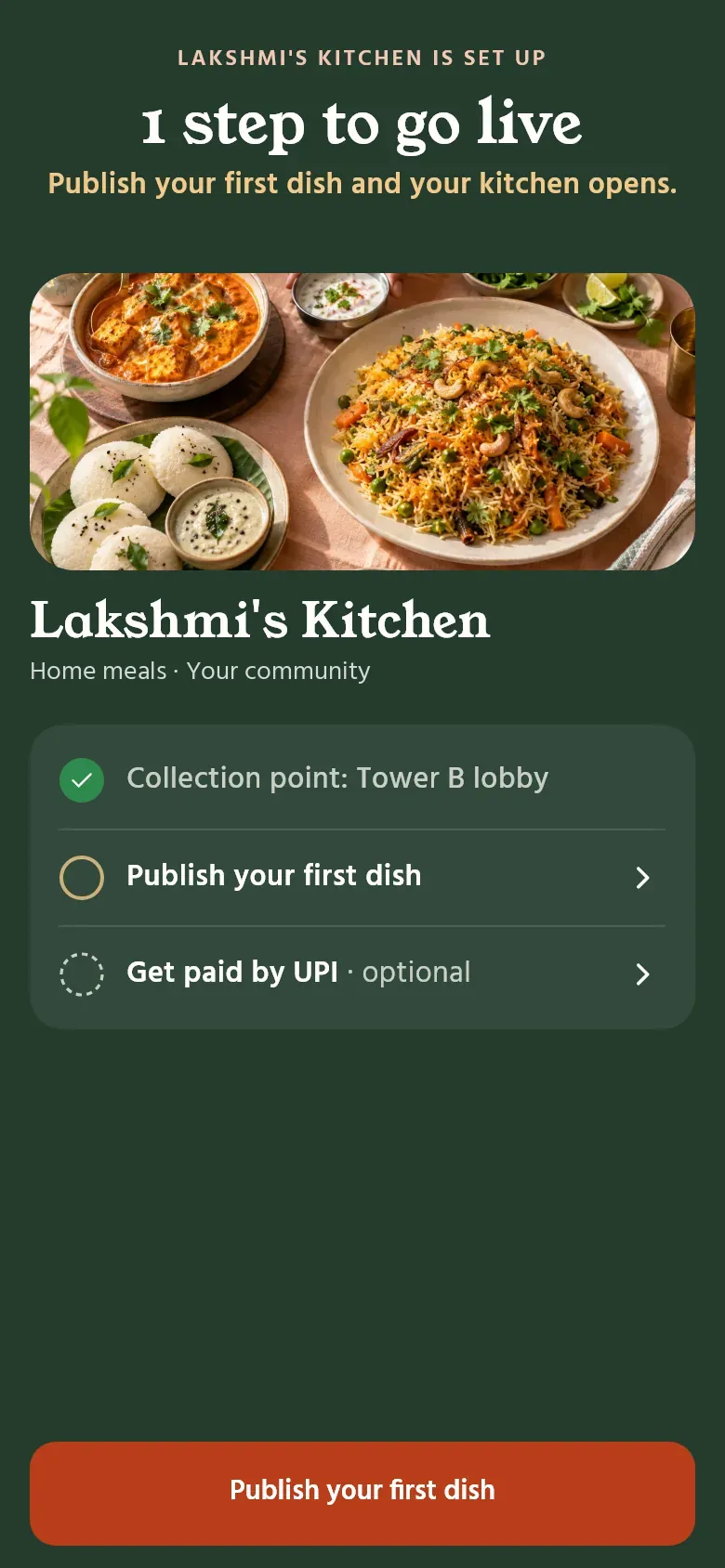
Your kitchen is set up
One step to go live: publish your first dish and your kitchen opens to your community.
- Step 5
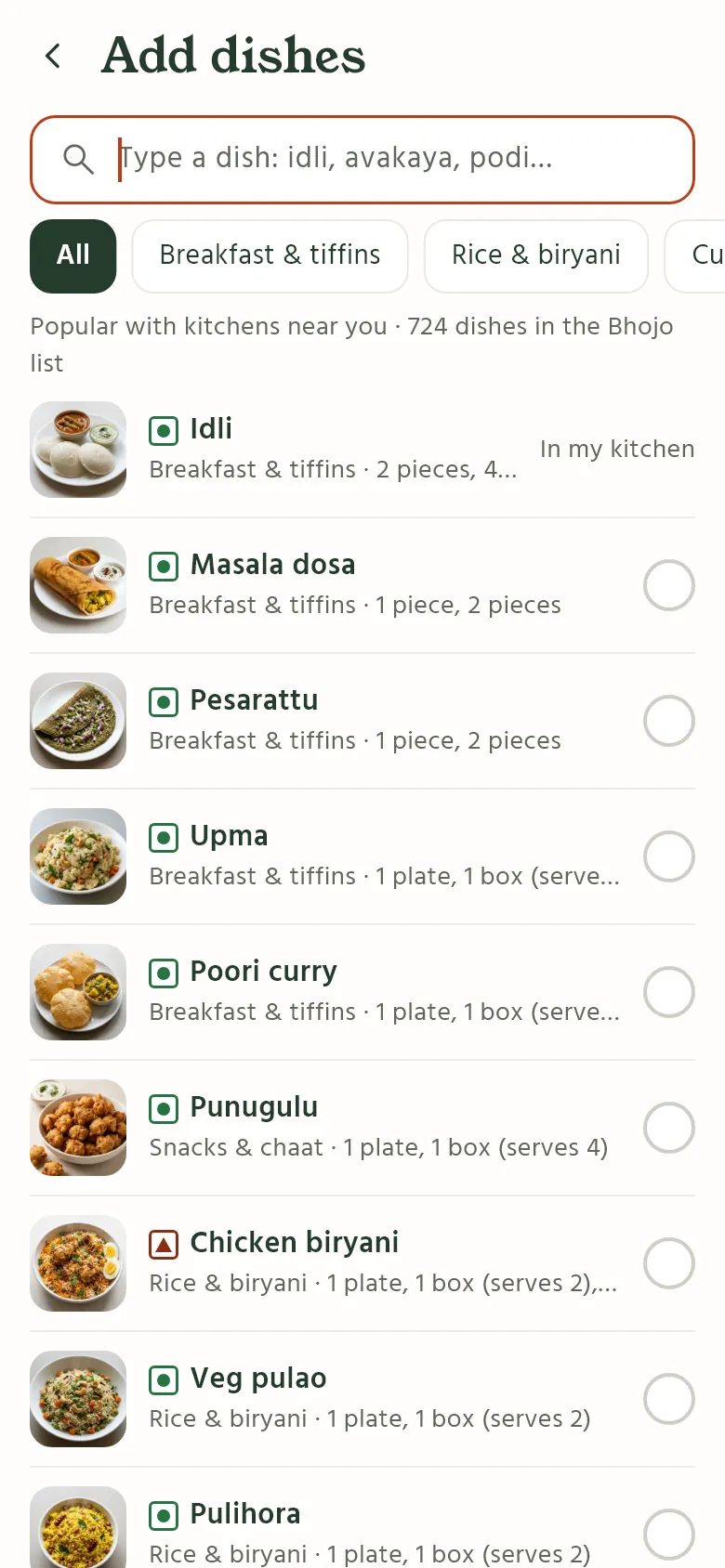
Add dishes from the Bhojo list
Search 700+ home favourites — idli, pulao, biryani, avakaya, podis — each with a photo and a usual portion. Tick what you cook. Something special? Add your own dish with your own photo.
- Step 6
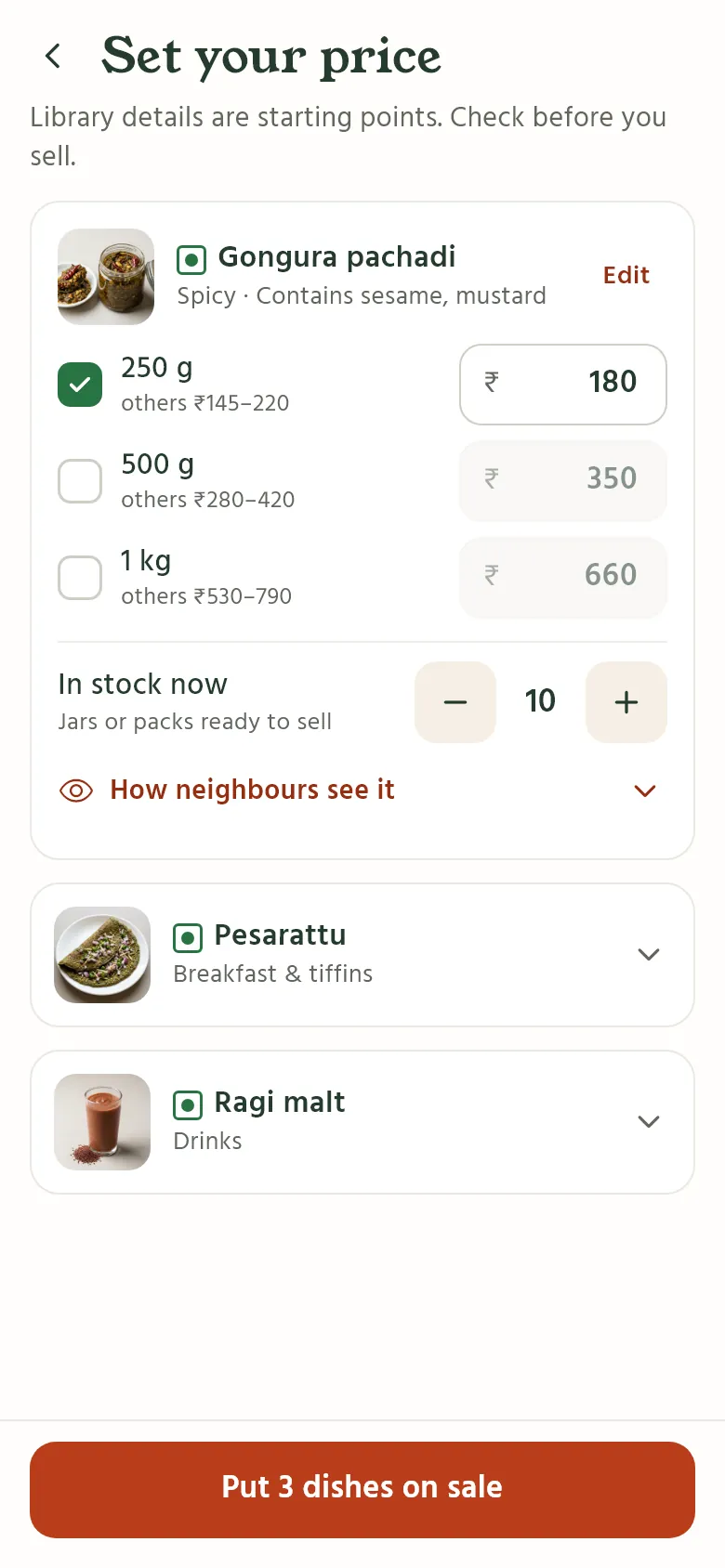
Set your price, portion and stock
Choose the sizes you sell (1 plate, 500 g, 4 pieces…), your price for each and how many you’ll make. Bhojo shows what other kitchens charge, so you can price with confidence.
- Step 7
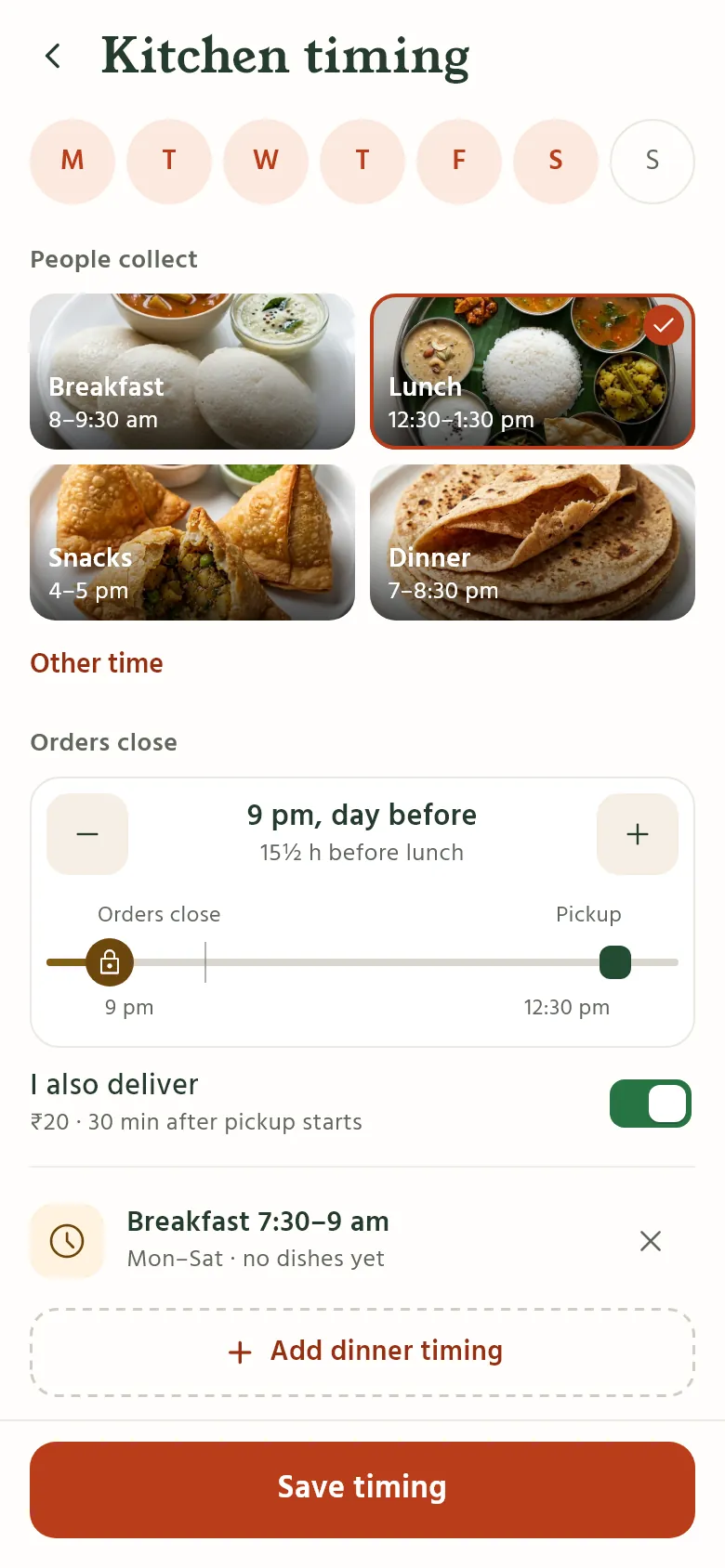
Choose when people collect
Pick your days and slots — breakfast, lunch, snacks, dinner or your own time — and when orders close (for example 9 pm the day before).
Happy to bring food to flats? Turn on I also deliver and set a small fee.
- Step 8
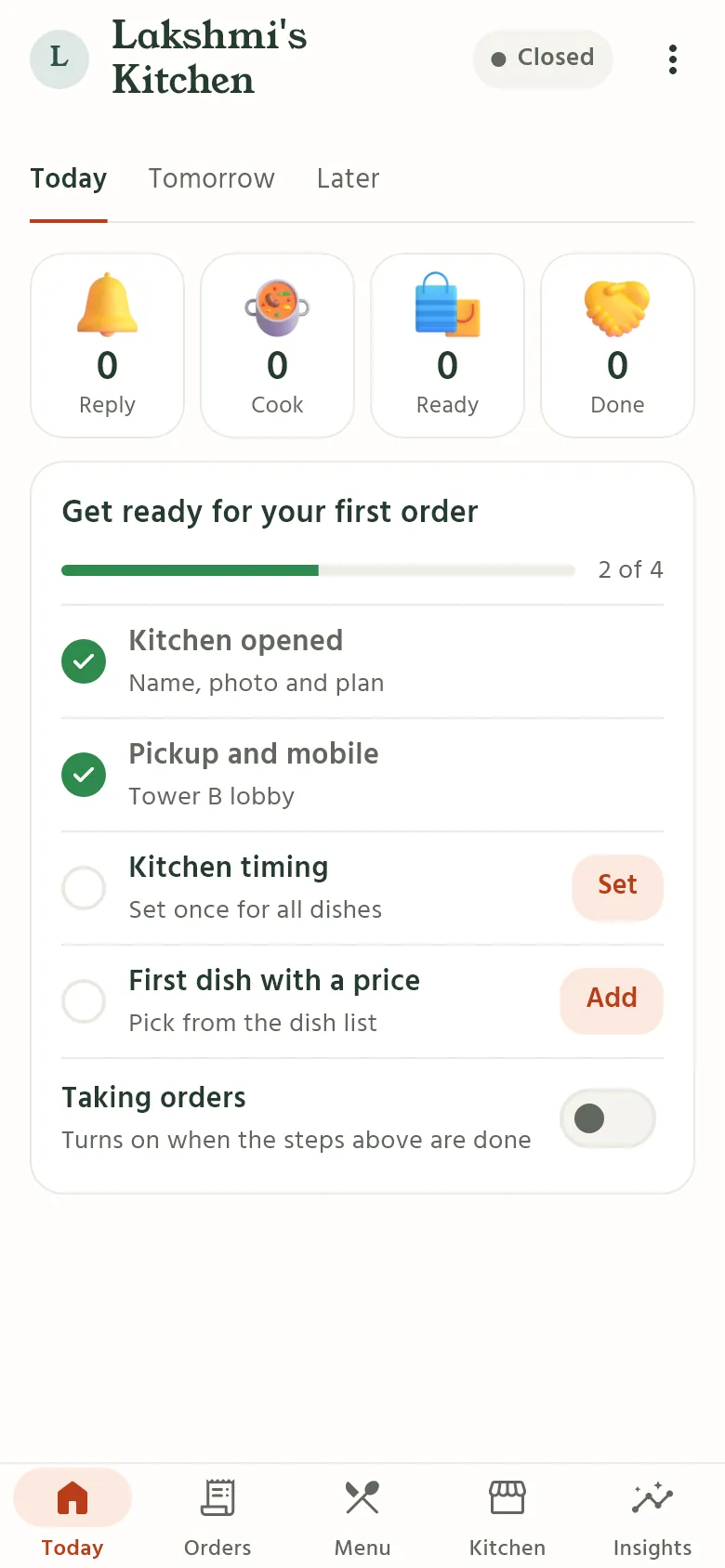
Finish the checklist and start taking orders
The Today tab walks you through what’s left. When every step is done, Taking orders switches on.
- Step 9
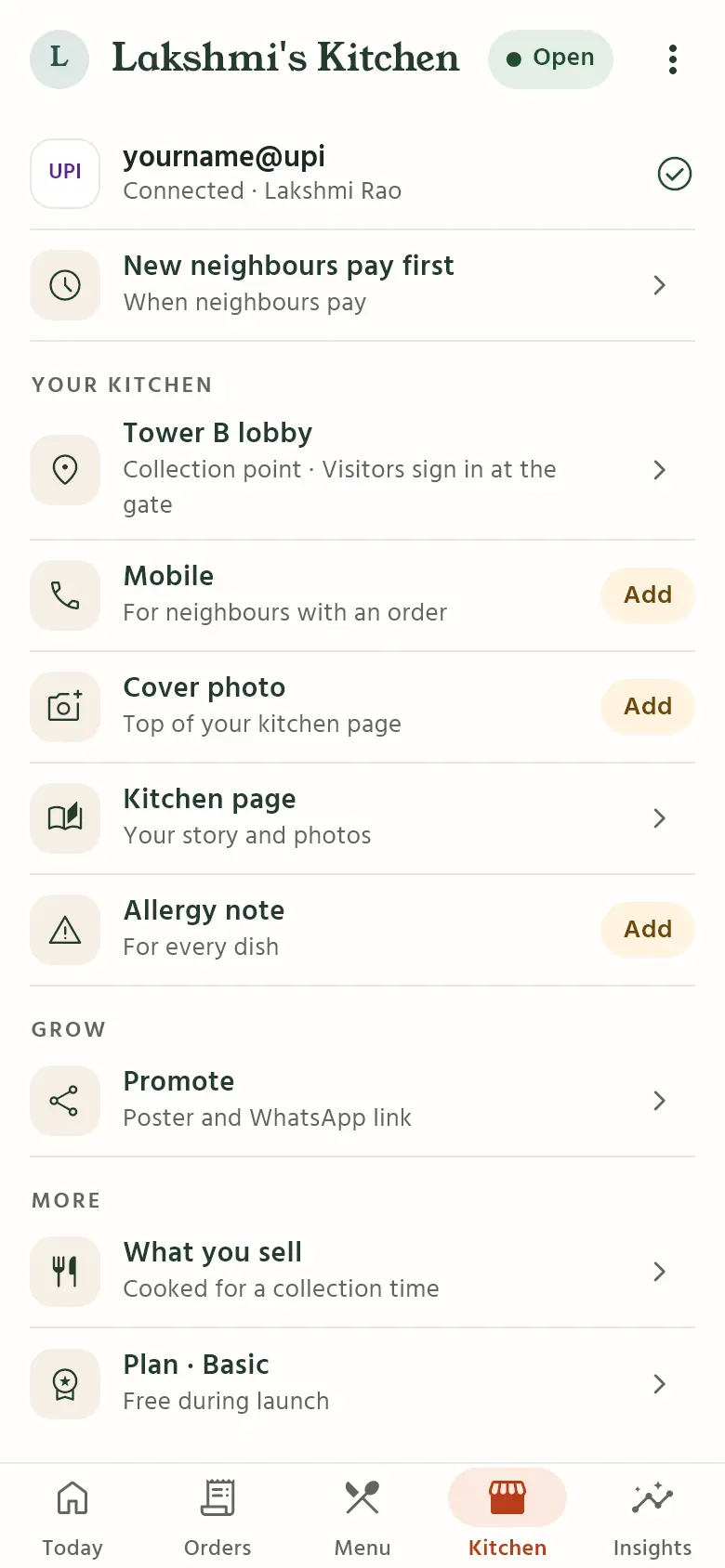
Add your UPI ID to get paid
Add your UPI ID so neighbours can pay you directly at pickup. If they pay online in Bhojo, the full amount is passed to you — Bhojo bears the gateway fee.
Want first-time neighbours to pay before you cook? Turn on New neighbours pay first.
- Step 10
Accept orders and hand over with a PIN
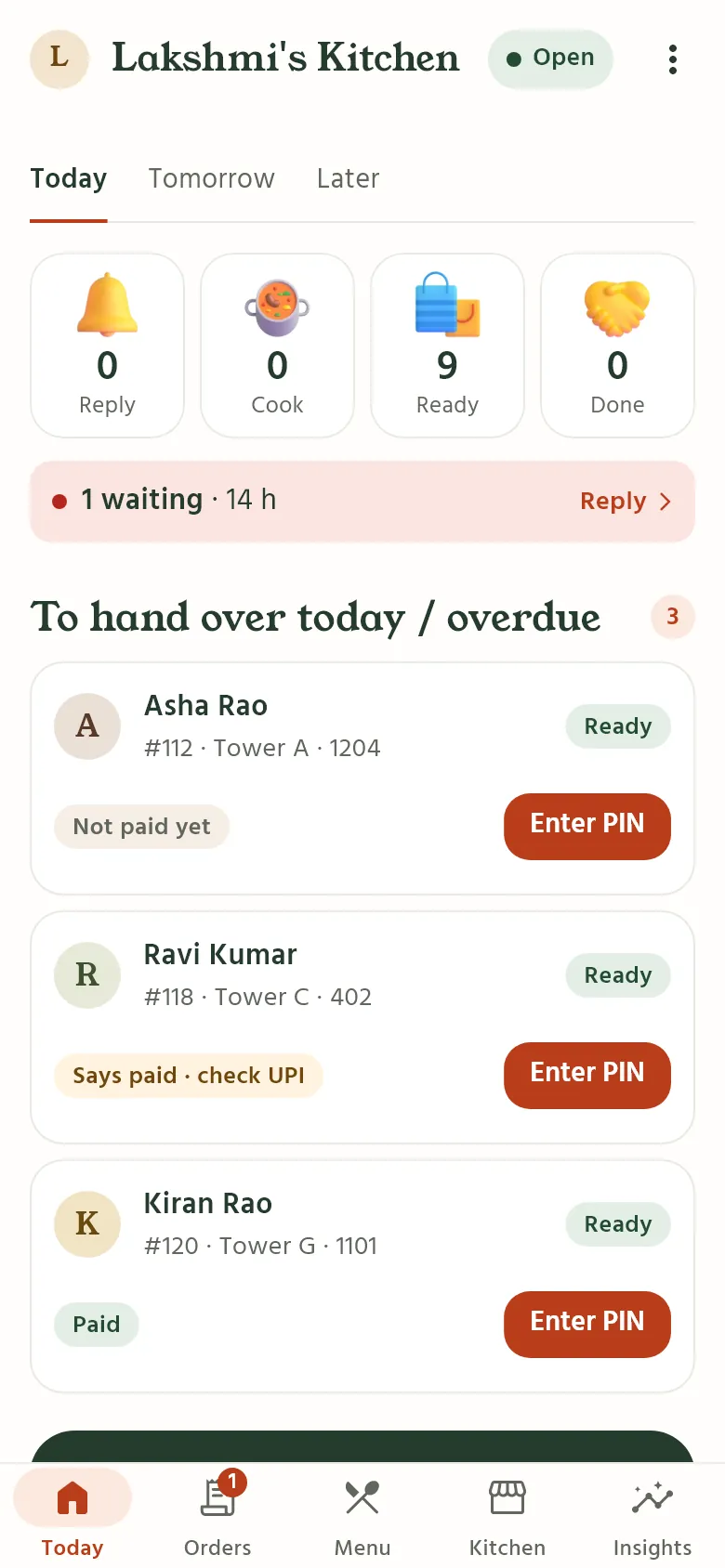
New orders ping your phone. Accept or decline each one — nothing is confirmed until you say yes.
At pickup, ask your neighbour for their PIN and tap Enter PIN. Record whether they paid by cash or UPI. Done.
- Step 11
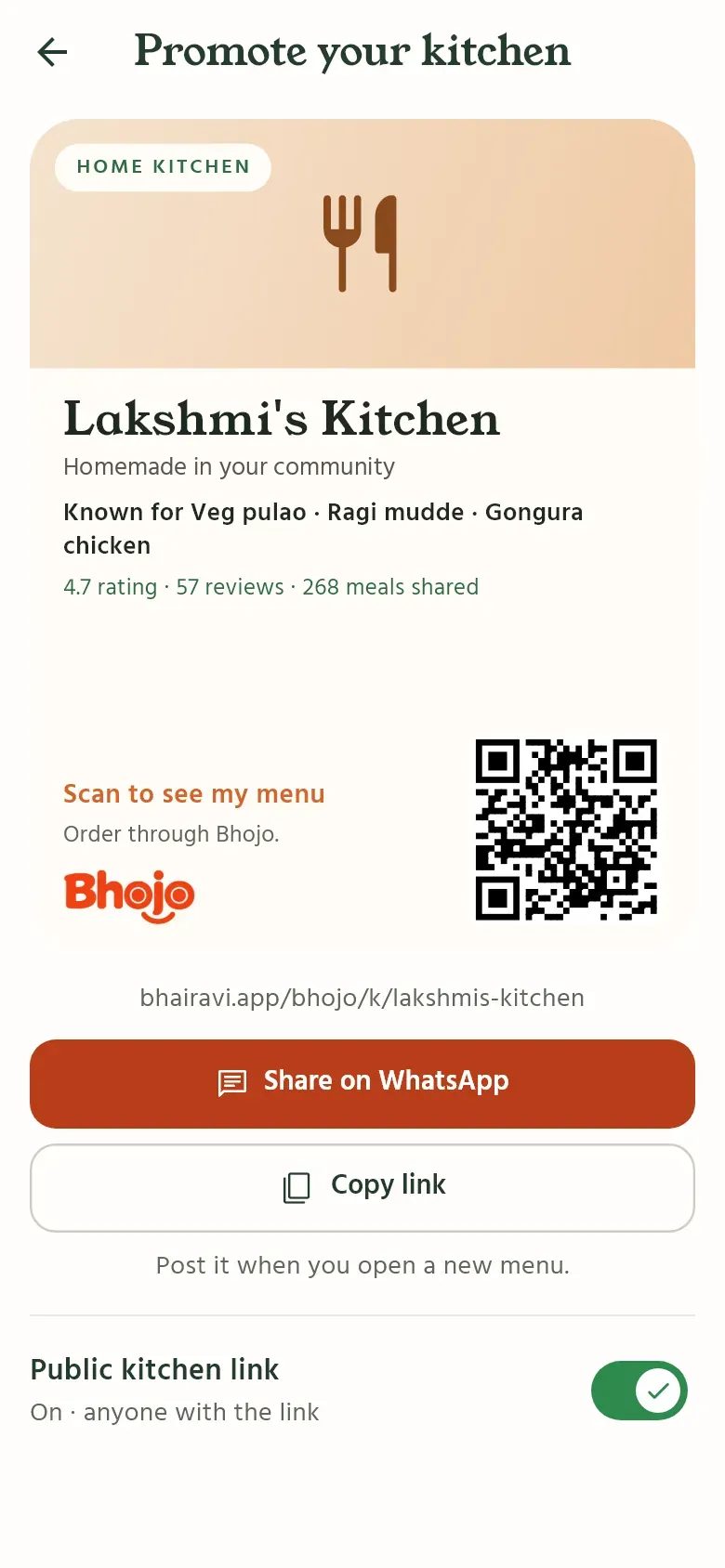
Share your kitchen
Bhojo makes a poster with a QR code and a link to your menu. Share it on your community WhatsApp groups whenever you open a new menu.
- Step 12
See how you're doing
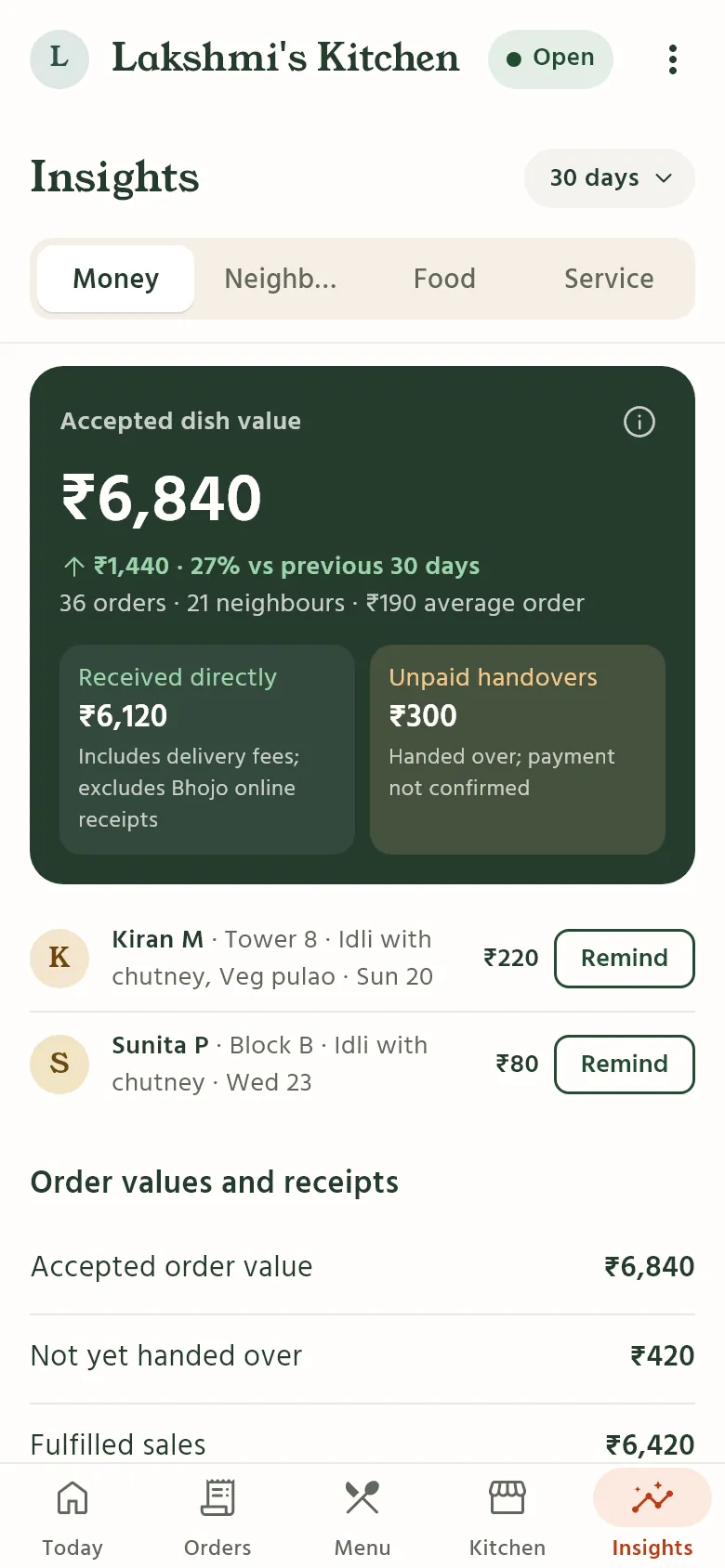
Insights shows what you earned, who your regulars are, which dishes sell and any payments still to collect — with a gentle reminder button.
For cooks
Before you start.
What does it cost?
Nothing during launch. Bhojo takes no commission on your sales. Plans with extra features may come later; you'll always be told before anything changes.
Do I need FSSAI registration?
Follow the food-safety rules that apply to you. Many small home kitchens need a basic FSSAI registration, which is quick to get online. Bhojo asks every cook to pledge to cook hygienically.
Can I pause my kitchen?
Yes. Close for a day, pause a dish or stop taking orders any time from the Kitchen tab. Neighbours see you as closed, not gone.
How do I get paid?
Neighbours pay you directly at pickup (cash or your UPI), or pay online in Bhojo. Online payments are collected by Bhojo and passed on to you in full.
Can I cook just once a week?
Of course. You choose the days, the slots, how much you make and when orders close.
Bhojo on your phone or in your browser
Your first neighbour is waiting.
One Bhojo account works in the Android app and on the website. Your orders, kitchen and basket follow you.
Android app
Free on Google Play. Alerts when your food is ready and when new menus open.

No download needed
Order or run your kitchen from any browser, including iPhone.
Open Bhojo on the web